
 在 TensorFlow.org 上查看 在 TensorFlow.org 上查看
|
 在 Google Colab 中运行 在 Google Colab 中运行
|
 在 GitHub 上查看源代码 在 GitHub 上查看源代码
|
 下载笔记本 下载笔记本
|
TFRecord 格式是一种用于存储二进制记录序列的简单格式。
Protocol Buffers 是一个跨平台、跨语言库,用于高效序列化结构化数据。
协议消息由 .proto 文件定义,这些文件通常是理解消息类型的最简单方法。
The tf.train.Example 消息(或 protobuf)是一种灵活的消息类型,它表示 {"string": value} 映射。它专为 TensorFlow 设计,并在更高层的 API(如 TFX)中使用。
此笔记本演示了如何创建、解析和使用 tf.train.Example 消息,然后将 tf.train.Example 消息序列化、写入和读取到 .tfrecord 文件中。
设置
import tensorflow as tf

import numpy as np
import IPython.display as display
2024-07-13 05:37:29.355021: E external/local_xla/xla/stream_executor/cuda/cuda_fft.cc:479] Unable to register cuFFT factory: Attempting to register factory for plugin cuFFT when one has already been registered
2024-07-13 05:37:29.381246: E external/local_xla/xla/stream_executor/cuda/cuda_dnn.cc:10575] Unable to register cuDNN factory: Attempting to register factory for plugin cuDNN when one has already been registered
2024-07-13 05:37:29.381281: E external/local_xla/xla/stream_executor/cuda/cuda_blas.cc:1442] Unable to register cuBLAS factory: Attempting to register factory for plugin cuBLAS when one has already been registered
tf.train.Example
用于 tf.train.Example 的数据类型
从根本上说,tf.train.Example 是一个 {"string": tf.train.Feature} 映射。
该 tf.train.Feature 消息类型可以接受以下三种类型之一(请参阅 .proto 文件 以供参考)。大多数其他通用类型可以强制转换为其中之一
tf.train.BytesList(以下类型可以强制转换)stringbyte
tf.train.FloatList(以下类型可以强制转换)float(float32)double(float64)
tf.train.Int64List(以下类型可以强制转换)boolenumint32uint32int64uint64
为了将标准 TensorFlow 类型转换为与 tf.train.Example 兼容的 tf.train.Feature,您可以使用以下快捷函数。请注意,每个函数都接受一个标量输入值,并返回一个包含上述三个 list 类型之一的 tf.train.Feature
# The following functions can be used to convert a value to a type compatible
# with tf.train.Example.

def _bytes_feature(value):
  """Returns a bytes_list from a string / byte."""
  if isinstance(value, type(tf.constant(0))):
    value = value.numpy() # BytesList won't unpack a string from an EagerTensor.
  return tf.train.Feature(bytes_list=tf.train.BytesList(value=[value]))

def _float_feature(value):
  """Returns a float_list from a float / double."""
  return tf.train.Feature(float_list=tf.train.FloatList(value=[value]))

def _int64_feature(value):
  """Returns an int64_list from a bool / enum / int / uint."""
  return tf.train.Feature(int64_list=tf.train.Int64List(value=[value]))
以下是一些关于这些函数如何工作的示例。请注意不同的输入类型和标准化的输出类型。如果函数的输入类型与上面列出的可强制转换类型之一不匹配,则该函数将引发异常(例如,_int64_feature(1.0) 将出错,因为 1.0 是一个浮点数,因此它应该与 _float_feature 函数一起使用)
print(_bytes_feature(b'test_string'))
print(_bytes_feature(u'test_bytes'.encode('utf-8')))

print(_float_feature(np.exp(1)))

print(_int64_feature(True))
print(_int64_feature(1))
bytes_list {
  value: "test_string"
}

bytes_list {
  value: "test_bytes"
}

float_list {
  value: 2.7182817459106445
}

int64_list {
  value: 1
}

int64_list {
  value: 1
}
所有 proto 消息都可以使用 .SerializeToString 方法序列化为二进制字符串
feature = _float_feature(np.exp(1))

feature.SerializeToString()
b'\x12\x06\n\x04T\xf8-@'
创建 tf.train.Example 消息
假设您想从现有数据创建 tf.train.Example 消息。在实践中,数据集可能来自任何地方,但从单个观察中创建 tf.train.Example 消息的过程将是相同的
在每个观察中,每个值都需要使用上述函数之一转换为包含 3 种兼容类型之一的
tf.train.Feature。您从特征名称字符串到在 #1 中生成的编码特征值创建了一个映射(字典)。
步骤 2 中生成的映射被转换为
Features消息。
在本笔记本中,您将使用 NumPy 创建一个数据集。
此数据集将具有 4 个特征
- 一个布尔特征,
False或True,概率相等 - 一个从
[0, 5]中均匀随机选择的整数特征 - 一个使用整数特征作为索引从字符串表生成的字符串特征
- 一个来自标准正态分布的浮点数特征
考虑一个样本,它包含来自上述每个分布的 10,000 个独立同分布的观察结果
# The number of observations in the dataset.
n_observations = int(1e4)

# Boolean feature, encoded as False or True.
feature0 = np.random.choice([False, True], n_observations)

# Integer feature, random from 0 to 4.
feature1 = np.random.randint(0, 5, n_observations)

# String feature.
strings = np.array([b'cat', b'dog', b'chicken', b'horse', b'goat'])
feature2 = strings[feature1]

# Float feature, from a standard normal distribution.
feature3 = np.random.randn(n_observations)
这些特征中的每一个都可以使用 _bytes_feature、_float_feature、_int64_feature 之一强制转换为与 tf.train.Example 兼容的类型。然后,您可以从这些编码特征创建 tf.train.Example 消息
@tf.py_function(Tout=tf.string)
def serialize_example(feature0, feature1, feature2, feature3):
  """
  Creates a tf.train.Example message ready to be written to a file.
  """
  # Create a dictionary mapping the feature name to the tf.train.Example-compatible
  # data type.
  feature = {
      'feature0': _int64_feature(feature0),
      'feature1': _int64_feature(feature1),
      'feature2': _bytes_feature(feature2),
      'feature3': _float_feature(feature3),
  }

  # Create a Features message using tf.train.Example.

  example_proto = tf.train.Example(features=tf.train.Features(feature=feature))
  return example_proto.SerializeToString()
例如,假设您有一个来自数据集的单个观察结果,[False, 4, bytes('goat'), 0.9876]。您可以使用 serialize_example() 为此观察结果创建并打印 tf.train.Example 消息。每个单个观察结果将根据上述内容作为 Features 消息写入。请注意,tf.train.Example 消息 只是 Features 消息的包装器
# This is an example observation from the dataset.

example_observation = [False, 4, b'goat', 0.9876]
serialized_example = serialize_example(*example_observation)
serialized_example
<tf.Tensor: shape=(), dtype=string, numpy=b'\nR\n\x11\n\x08feature0\x12\x05\x1a\x03\n\x01\x00\n\x11\n\x08feature1\x12\x05\x1a\x03\n\x01\x04\n\x14\n\x08feature2\x12\x08\n\x06\n\x04goat\n\x14\n\x08feature3\x12\x08\x12\x06\n\x04[\xd3|?'>
要解码消息,请使用 tf.train.Example.FromString 方法。
example_proto = tf.train.Example.FromString(serialized_example.numpy())
example_proto
features {
  feature {
    key: "feature0"
    value {
      int64_list {
        value: 0
      }
    }
  }
  feature {
    key: "feature1"
    value {
      int64_list {
        value: 4
      }
    }
  }
  feature {
    key: "feature2"
    value {
      bytes_list {
        value: "goat"
      }
    }
  }
  feature {
    key: "feature3"
    value {
      float_list {
        value: 0.9876000285148621
      }
    }
  }
}
TFRecords 格式详细信息
TFRecord 文件包含一系列记录。该文件只能顺序读取。
每个记录包含一个字节字符串,用于数据有效负载,以及数据长度和 CRC-32C (32 位 CRC 使用 Castagnoli 多项式) 哈希用于完整性检查。
每个记录都以以下格式存储
uint64 length
uint32 masked_crc32_of_length
byte   data[length]
uint32 masked_crc32_of_data
这些记录被连接在一起以生成文件。CRC 在此处描述,CRC 的掩码为
masked_crc = ((crc >> 15) | (crc << 17)) + 0xa282ead8ul
读取和写入 TFRecord 文件
该 tf.io 模块还包含用于读取和写入 TFRecord 文件的纯 Python 函数。
写入 TFRecord 文件
接下来,将 10,000 个观察结果写入文件 test.tfrecord。每个观察结果都被转换为 tf.train.Example 消息,然后写入文件。然后,您可以验证文件 test.tfrecord 是否已创建
filename = 'test.tfrecord'
# Write the `tf.train.Example` observations to the file.
with tf.io.TFRecordWriter(filename) as writer:
  for i in range(n_observations):
    example = serialize_example(feature0[i], feature1[i], feature2[i], feature3[i])
    writer.write(example.numpy())
du -sh {filename}
984K test.tfrecord
在 python 中读取 TFRecord 文件
这些序列化张量可以使用 tf.train.Example.ParseFromString 轻松解析
filenames = [filename]
raw_dataset = tf.data.TFRecordDataset(filenames)
raw_dataset
<TFRecordDatasetV2 element_spec=TensorSpec(shape=(), dtype=tf.string, name=None)>
for raw_record in raw_dataset.take(1):
  example = tf.train.Example()
  example.ParseFromString(raw_record.numpy())
  print(example)
features {
  feature {
    key: "feature0"
    value {
      int64_list {
        value: 1
      }
    }
  }
  feature {
    key: "feature1"
    value {
      int64_list {
        value: 1
      }
    }
  }
  feature {
    key: "feature2"
    value {
      bytes_list {
        value: "dog"
      }
    }
  }
  feature {
    key: "feature3"
    value {
      float_list {
        value: 1.7843105792999268
      }
    }
  }
}
2024-07-13 05:37:48.209959: W tensorflow/core/framework/local_rendezvous.cc:404] Local rendezvous is aborting with status: OUT_OF_RANGE: End of sequence
这将返回一个 tf.train.Example proto,它本身很难使用,但它从根本上来说是
Dict[str,
     Union[List[float],
           List[int],
           List[str]]]
以下代码手动将 Example 转换为 NumPy 数组字典,而无需使用 TensorFlow Ops。有关详细信息,请参阅 PROTO 文件。
result = {}
# example.features.feature is the dictionary
for key, feature in example.features.feature.items():
  # The values are the Feature objects which contain a `kind` which contains:
  # one of three fields: bytes_list, float_list, int64_list

  kind = feature.WhichOneof('kind')
  result[key] = np.array(getattr(feature, kind).value)

result
{'feature3': array([1.78431058]),
 'feature2': array([b'dog'], dtype='|S3'),
 'feature1': array([1]),
 'feature0': array([1])}
使用 tf.data 读取 TFRecord 文件
您还可以使用 tf.data.TFRecordDataset 类读取 TFRecord 文件。
有关使用 tf.data 使用 TFRecord 文件的更多信息,请参阅 tf.data:构建 TensorFlow 输入管道 指南。
使用 TFRecordDataset 可以用于标准化输入数据和优化性能。
filenames = [filename]
raw_dataset = tf.data.TFRecordDataset(filenames)
raw_dataset
<TFRecordDatasetV2 element_spec=TensorSpec(shape=(), dtype=tf.string, name=None)>
此时,数据集包含序列化的 tf.train.Example 消息。当对其进行迭代时,它会将这些消息作为标量字符串张量返回。
使用 .take 方法仅显示前 10 条记录。
for raw_record in raw_dataset.take(10):
  print(repr(raw_record))
<tf.Tensor: shape=(), dtype=string, numpy=b'\nQ\n\x14\n\x08feature3\x12\x08\x12\x06\n\x04Jd\xe4?\n\x11\n\x08feature1\x12\x05\x1a\x03\n\x01\x01\n\x13\n\x08feature2\x12\x07\n\x05\n\x03dog\n\x11\n\x08feature0\x12\x05\x1a\x03\n\x01\x01'>
<tf.Tensor: shape=(), dtype=string, numpy=b'\nU\n\x14\n\x08feature3\x12\x08\x12\x06\n\x04\xa0\xdap\xbd\n\x11\n\x08feature1\x12\x05\x1a\x03\n\x01\x02\n\x11\n\x08feature0\x12\x05\x1a\x03\n\x01\x00\n\x17\n\x08feature2\x12\x0b\n\t\n\x07chicken'>
<tf.Tensor: shape=(), dtype=string, numpy=b'\nR\n\x11\n\x08feature0\x12\x05\x1a\x03\n\x01\x01\n\x14\n\x08feature3\x12\x08\x12\x06\n\x04S\x92\x9f=\n\x11\n\x08feature1\x12\x05\x1a\x03\n\x01\x04\n\x14\n\x08feature2\x12\x08\n\x06\n\x04goat'>
<tf.Tensor: shape=(), dtype=string, numpy=b'\nQ\n\x14\n\x08feature3\x12\x08\x12\x06\n\x04\xc5\xe2\xf9>\n\x13\n\x08feature2\x12\x07\n\x05\n\x03dog\n\x11\n\x08feature1\x12\x05\x1a\x03\n\x01\x01\n\x11\n\x08feature0\x12\x05\x1a\x03\n\x01\x00'>
<tf.Tensor: shape=(), dtype=string, numpy=b'\nU\n\x17\n\x08feature2\x12\x0b\n\t\n\x07chicken\n\x11\n\x08feature1\x12\x05\x1a\x03\n\x01\x02\n\x14\n\x08feature3\x12\x08\x12\x06\n\x04\x9a\x81\xc1\xbf\n\x11\n\x08feature0\x12\x05\x1a\x03\n\x01\x00'>
<tf.Tensor: shape=(), dtype=string, numpy=b'\nS\n\x11\n\x08feature0\x12\x05\x1a\x03\n\x01\x00\n\x11\n\x08feature1\x12\x05\x1a\x03\n\x01\x03\n\x15\n\x08feature2\x12\t\n\x07\n\x05horse\n\x14\n\x08feature3\x12\x08\x12\x06\n\x04\x9c?\x16\xbf'>
<tf.Tensor: shape=(), dtype=string, numpy=b'\nQ\n\x14\n\x08feature3\x12\x08\x12\x06\n\x04\xfe\xc6\xb3\xbd\n\x11\n\x08feature1\x12\x05\x1a\x03\n\x01\x00\n\x13\n\x08feature2\x12\x07\n\x05\n\x03cat\n\x11\n\x08feature0\x12\x05\x1a\x03\n\x01\x00'>
<tf.Tensor: shape=(), dtype=string, numpy=b'\nQ\n\x11\n\x08feature1\x12\x05\x1a\x03\n\x01\x01\n\x13\n\x08feature2\x12\x07\n\x05\n\x03dog\n\x11\n\x08feature0\x12\x05\x1a\x03\n\x01\x00\n\x14\n\x08feature3\x12\x08\x12\x06\n\x04\x0c\xaa<>'>
<tf.Tensor: shape=(), dtype=string, numpy=b'\nQ\n\x11\n\x08feature0\x12\x05\x1a\x03\n\x01\x00\n\x11\n\x08feature1\x12\x05\x1a\x03\n\x01\x00\n\x14\n\x08feature3\x12\x08\x12\x06\n\x04KE6\xbf\n\x13\n\x08feature2\x12\x07\n\x05\n\x03cat'>
<tf.Tensor: shape=(), dtype=string, numpy=b'\nQ\n\x11\n\x08feature0\x12\x05\x1a\x03\n\x01\x00\n\x11\n\x08feature1\x12\x05\x1a\x03\n\x01\x01\n\x13\n\x08feature2\x12\x07\n\x05\n\x03dog\n\x14\n\x08feature3\x12\x08\x12\x06\n\x04\x03\x1a\x14\xc0'>
2024-07-13 05:37:48.263700: W tensorflow/core/framework/local_rendezvous.cc:404] Local rendezvous is aborting with status: OUT_OF_RANGE: End of sequence
这些张量可以使用以下函数解析。请注意,feature_description 在这里是必要的,因为 tf.data.Dataset 使用图形执行,并且需要此描述来构建其形状和类型签名
# Create a description of the features.
feature_description = {
    'feature0': tf.io.FixedLenFeature([], tf.int64, default_value=0),
    'feature1': tf.io.FixedLenFeature([], tf.int64, default_value=0),
    'feature2': tf.io.FixedLenFeature([], tf.string, default_value=''),
    'feature3': tf.io.FixedLenFeature([], tf.float32, default_value=0.0),
}

def _parse_function(example_proto):
  # Parse the input `tf.train.Example` proto using the dictionary above.
  return tf.io.parse_single_example(example_proto, feature_description)
或者,使用 tf.parse_example 一次解析整个批次。使用 tf.data.Dataset.map 方法将此函数应用于数据集中的每个项目
parsed_dataset = raw_dataset.map(_parse_function)
parsed_dataset
<_MapDataset element_spec={'feature0': TensorSpec(shape=(), dtype=tf.int64, name=None), 'feature1': TensorSpec(shape=(), dtype=tf.int64, name=None), 'feature2': TensorSpec(shape=(), dtype=tf.string, name=None), 'feature3': TensorSpec(shape=(), dtype=tf.float32, name=None)}>
使用 Eager Execution 显示数据集中的观测值。该数据集包含 10,000 个观测值,但您将只显示前 10 个。数据以特征字典的形式显示。每个项目都是一个 tf.Tensor,该张量的 numpy 元素显示特征的值。
for parsed_record in parsed_dataset.take(10):
  print(repr(parsed_record))
{'feature0': <tf.Tensor: shape=(), dtype=int64, numpy=1>, 'feature1': <tf.Tensor: shape=(), dtype=int64, numpy=1>, 'feature2': <tf.Tensor: shape=(), dtype=string, numpy=b'dog'>, 'feature3': <tf.Tensor: shape=(), dtype=float32, numpy=1.7843106>}
{'feature0': <tf.Tensor: shape=(), dtype=int64, numpy=0>, 'feature1': <tf.Tensor: shape=(), dtype=int64, numpy=2>, 'feature2': <tf.Tensor: shape=(), dtype=string, numpy=b'chicken'>, 'feature3': <tf.Tensor: shape=(), dtype=float32, numpy=-0.058802247>}
{'feature0': <tf.Tensor: shape=(), dtype=int64, numpy=1>, 'feature1': <tf.Tensor: shape=(), dtype=int64, numpy=4>, 'feature2': <tf.Tensor: shape=(), dtype=string, numpy=b'goat'>, 'feature3': <tf.Tensor: shape=(), dtype=float32, numpy=0.07791581>}
{'feature0': <tf.Tensor: shape=(), dtype=int64, numpy=0>, 'feature1': <tf.Tensor: shape=(), dtype=int64, numpy=1>, 'feature2': <tf.Tensor: shape=(), dtype=string, numpy=b'dog'>, 'feature3': <tf.Tensor: shape=(), dtype=float32, numpy=0.48805824>}
{'feature0': <tf.Tensor: shape=(), dtype=int64, numpy=0>, 'feature1': <tf.Tensor: shape=(), dtype=int64, numpy=2>, 'feature2': <tf.Tensor: shape=(), dtype=string, numpy=b'chicken'>, 'feature3': <tf.Tensor: shape=(), dtype=float32, numpy=-1.5117676>}
{'feature0': <tf.Tensor: shape=(), dtype=int64, numpy=0>, 'feature1': <tf.Tensor: shape=(), dtype=int64, numpy=3>, 'feature2': <tf.Tensor: shape=(), dtype=string, numpy=b'horse'>, 'feature3': <tf.Tensor: shape=(), dtype=float32, numpy=-0.5869081>}
{'feature0': <tf.Tensor: shape=(), dtype=int64, numpy=0>, 'feature1': <tf.Tensor: shape=(), dtype=int64, numpy=0>, 'feature2': <tf.Tensor: shape=(), dtype=string, numpy=b'cat'>, 'feature3': <tf.Tensor: shape=(), dtype=float32, numpy=-0.08778189>}
{'feature0': <tf.Tensor: shape=(), dtype=int64, numpy=0>, 'feature1': <tf.Tensor: shape=(), dtype=int64, numpy=1>, 'feature2': <tf.Tensor: shape=(), dtype=string, numpy=b'dog'>, 'feature3': <tf.Tensor: shape=(), dtype=float32, numpy=0.18424243>}
{'feature0': <tf.Tensor: shape=(), dtype=int64, numpy=0>, 'feature1': <tf.Tensor: shape=(), dtype=int64, numpy=0>, 'feature2': <tf.Tensor: shape=(), dtype=string, numpy=b'cat'>, 'feature3': <tf.Tensor: shape=(), dtype=float32, numpy=-0.7119948>}
{'feature0': <tf.Tensor: shape=(), dtype=int64, numpy=0>, 'feature1': <tf.Tensor: shape=(), dtype=int64, numpy=1>, 'feature2': <tf.Tensor: shape=(), dtype=string, numpy=b'dog'>, 'feature3': <tf.Tensor: shape=(), dtype=float32, numpy=-2.3140876>}
2024-07-13 05:37:48.363183: W tensorflow/core/framework/local_rendezvous.cc:404] Local rendezvous is aborting with status: OUT_OF_RANGE: End of sequence
在这里,tf.parse_example 函数将 tf.train.Example 字段解包到标准张量中。
逐步操作:读取和写入图像数据
这是一个使用 TFRecords 读取和写入图像数据的端到端示例。使用图像作为输入数据,您将数据写入 TFRecord 文件,然后读取该文件并显示图像。
例如,如果您想在同一个输入数据集上使用多个模型,这将非常有用。与其存储原始图像数据,不如将其预处理为 TFRecords 格式,然后将其用于所有后续处理和建模。
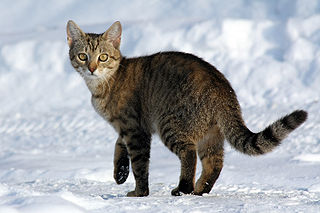
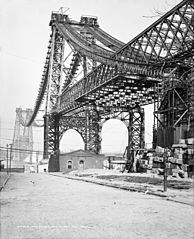
首先,让我们下载 这张猫在雪地里的图片 和 这张纽约威廉斯堡大桥在建时的照片。


获取图像
cat_in_snow  = tf.keras.utils.get_file(
    '320px-Felis_catus-cat_on_snow.jpg',
    'https://storage.googleapis.com/download.tensorflow.org/example_images/320px-Felis_catus-cat_on_snow.jpg')

williamsburg_bridge = tf.keras.utils.get_file(
    '194px-New_East_River_Bridge_from_Brooklyn_det.4a09796u.jpg',
    'https://storage.googleapis.com/download.tensorflow.org/example_images/194px-New_East_River_Bridge_from_Brooklyn_det.4a09796u.jpg')
Downloading data from https://storage.googleapis.com/download.tensorflow.org/example_images/320px-Felis_catus-cat_on_snow.jpg
17858/17858 ━━━━━━━━━━━━━━━━━━━━ 0s 0us/step
Downloading data from https://storage.googleapis.com/download.tensorflow.org/example_images/194px-New_East_River_Bridge_from_Brooklyn_det.4a09796u.jpg
15477/15477 ━━━━━━━━━━━━━━━━━━━━ 0s 0us/step
display.display(display.Image(filename=cat_in_snow))
display.display(display.HTML('Image cc-by: <a "href=https://commons.wikimedia.org/wiki/File:Felis_catus-cat_on_snow.jpg">Von.grzanka</a>'))
display.display(display.Image(filename=williamsburg_bridge))
display.display(display.HTML('<a "href=https://commons.wikimedia.org/wiki/File:New_East_River_Bridge_from_Brooklyn_det.4a09796u.jpg">From Wikimedia</a>'))
写入 TFRecord 文件
与之前一样,将特征编码为与 tf.train.Example 兼容的类型。这将存储原始图像字符串特征,以及高度、宽度、深度和任意 label 特征。后者在您写入文件时用于区分猫图像和桥梁图像。对于猫图像使用 0,对于桥梁图像使用 1。
image_labels = {
    cat_in_snow : 0,
    williamsburg_bridge : 1,
}
# This is an example, just using the cat image.
image_string = open(cat_in_snow, 'rb').read()

label = image_labels[cat_in_snow]

# Create a dictionary with features that may be relevant.
def image_example(image_string, label):
  image_shape = tf.io.decode_jpeg(image_string).shape

  feature = {
      'height': _int64_feature(image_shape[0]),
      'width': _int64_feature(image_shape[1]),
      'depth': _int64_feature(image_shape[2]),
      'label': _int64_feature(label),
      'image_raw': _bytes_feature(image_string),
  }

  return tf.train.Example(features=tf.train.Features(feature=feature))

for line in str(image_example(image_string, label)).split('\n')[:15]:
  print(line)
print('...')
features {
  feature {
    key: "depth"
    value {
      int64_list {
        value: 3
      }
    }
  }
  feature {
    key: "height"
    value {
      int64_list {
        value: 213
      }
...
请注意,所有特征现在都存储在 tf.train.Example 消息中。接下来,将上面的代码功能化,并将示例消息写入名为 images.tfrecords 的文件。
# Write the raw image files to `images.tfrecords`.
# First, process the two images into `tf.train.Example` messages.
# Then, write to a `.tfrecords` file.
record_file = 'images.tfrecords'
with tf.io.TFRecordWriter(record_file) as writer:
  for filename, label in image_labels.items():
    image_string = open(filename, 'rb').read()
    tf_example = image_example(image_string, label)
    writer.write(tf_example.SerializeToString())
du -sh {record_file}
36K images.tfrecords
读取 TFRecord 文件
现在您有了该文件——images.tfrecords——并且可以迭代其中的记录以读取您写入的内容。鉴于在本示例中您将只复制图像,因此您唯一需要的特征是原始图像字符串。使用上面描述的 getter 提取它,即 example.features.feature['image_raw'].bytes_list.value[0]。您还可以使用标签来确定哪个记录是猫,哪个记录是桥梁。
raw_image_dataset = tf.data.TFRecordDataset('images.tfrecords')

# Create a dictionary describing the features.
image_feature_description = {
    'height': tf.io.FixedLenFeature([], tf.int64),
    'width': tf.io.FixedLenFeature([], tf.int64),
    'depth': tf.io.FixedLenFeature([], tf.int64),
    'label': tf.io.FixedLenFeature([], tf.int64),
    'image_raw': tf.io.FixedLenFeature([], tf.string),
}

def _parse_image_function(example_proto):
  # Parse the input tf.train.Example proto using the dictionary above.
  return tf.io.parse_single_example(example_proto, image_feature_description)

parsed_image_dataset = raw_image_dataset.map(_parse_image_function)
parsed_image_dataset
<_MapDataset element_spec={'depth': TensorSpec(shape=(), dtype=tf.int64, name=None), 'height': TensorSpec(shape=(), dtype=tf.int64, name=None), 'image_raw': TensorSpec(shape=(), dtype=tf.string, name=None), 'label': TensorSpec(shape=(), dtype=tf.int64, name=None), 'width': TensorSpec(shape=(), dtype=tf.int64, name=None)}>
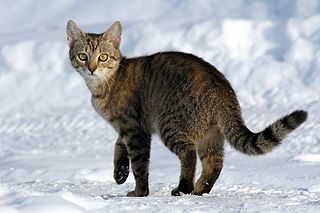
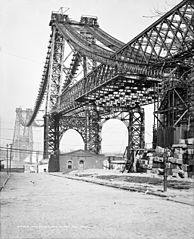
从 TFRecord 文件中恢复图像
for image_features in parsed_image_dataset:
  image_raw = image_features['image_raw'].numpy()
  display.display(display.Image(data=image_raw))
2024-07-13 05:37:48.876637: W tensorflow/core/framework/local_rendezvous.cc:404] Local rendezvous is aborting with status: OUT_OF_RANGE: End of sequence